On a Mac or a phone? TallyMint also runs in any browser as TallyMint Web, a subscription from $9.99 a month.
Switching from another personal finance app? Move to TallyMint.
If another app shut down, raised its price, or just does not run where you actually need it, TallyMint gives you a choice most competitors do not: a one-time $59.99 purchase for Windows, or TallyMint Web in any browser from $9.99 a month. Both import CSV, QIF, and OFX/QFX, so wherever your old data comes from, there is a path in, and you pick the shape that fits how you work.
The app you used is gone or going away
Mint closed on March 23, 2024, and folded into Credit Karma. Budgets, custom categories, savings goals, bill reminders, and transaction history did not carry over.
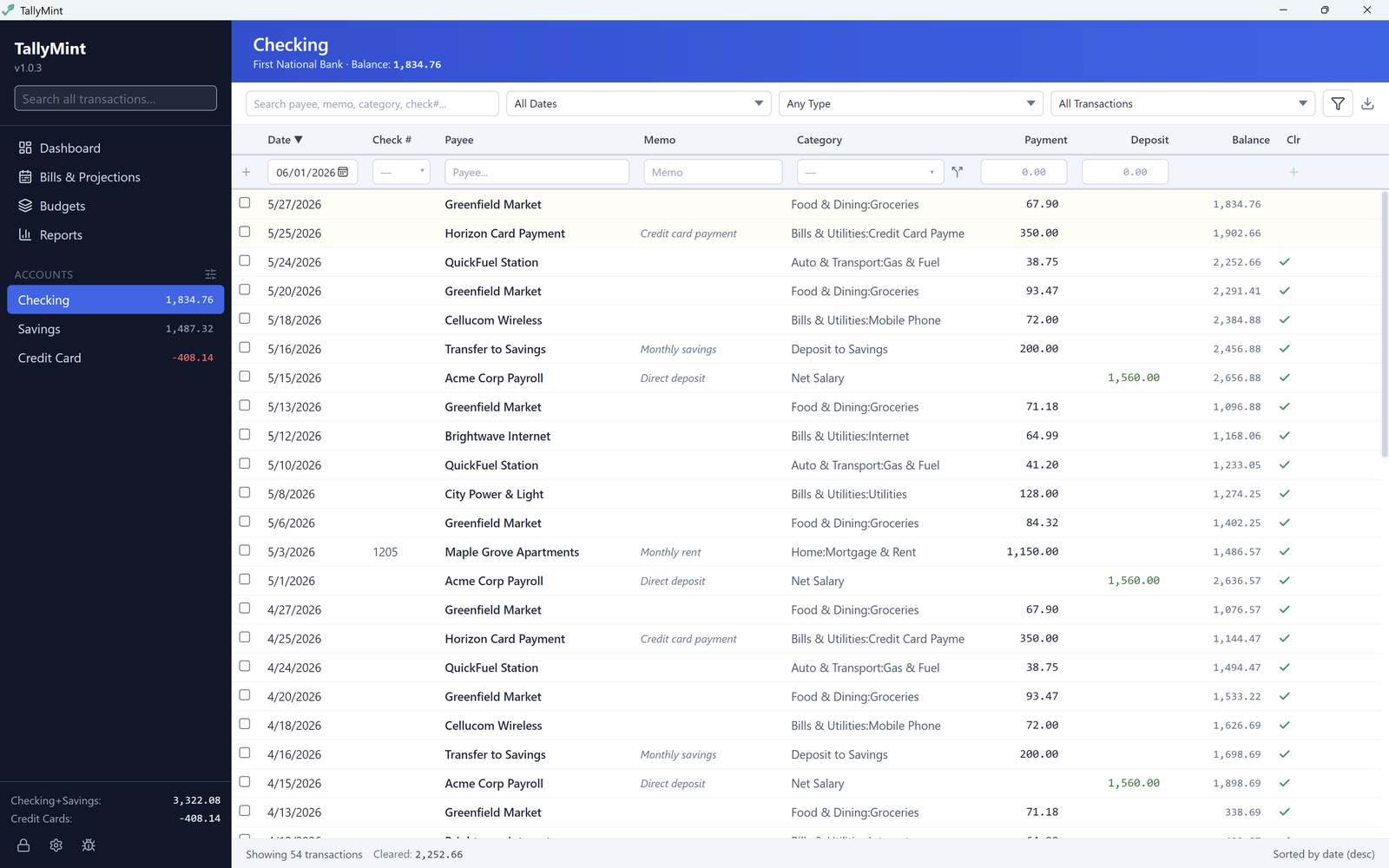
That gap is what TallyMint fills. Import your Mint CSV, rebuild your categories and budgets, and get cash flow projections, in an app that exports your whole ledger back to QIF so you are never locked in.
TallyMint is an independent product and is not affiliated with, endorsed by, or sponsored by Intuit, Mint, or Credit Karma.
Coming from Banktivity
Banktivity is Mac and iOS software sold as a subscription, and it exports QIF and CSV. TallyMint imports either directly, splits and transfers included when the export carries them.
TallyMint is not affiliated with Banktivity or its publisher.
Coming from Monarch Money
Monarch Money runs on the web and on iOS and Android, and exports your transactions as CSV. If a browser-based app is what you want, TallyMint Web imports that CSV directly. Full comparison.
TallyMint is not affiliated with Monarch Money.
Coming from Quicken Simplifi
Quicken Simplifi is cloud-based and exports CSV only, from its web app rather than the mobile ones. TallyMint Web is the closest fit and imports that CSV, as does the desktop app; coming from Quicken Classic with a QIF file instead, see the Quicken alternative page.
TallyMint is not affiliated with Quicken, Simplifi, or Quicken Inc.
Coming from YNAB
YNAB (You Need A Budget) exports CSV. TallyMint Web keeps you in a browser the way YNAB does, and the desktop app imports the same file if you would rather move to Windows. Full comparison.
TallyMint is not affiliated with YNAB.
Coming from Empower, Tiller, CountAbout, or EveryDollar?
Empower Personal Dashboard, Tiller, CountAbout, and EveryDollar all export CSV (EveryDollar only on Premium, one month at a time). If you can get a CSV out of it, TallyMint can bring it in, on the desktop app or in TallyMint Web. TallyMint is not affiliated with Empower, Tiller, CountAbout, or EveryDollar.
Coming from Moneydance
Moneydance exports QIF, which TallyMint imports with splits and transfers intact when the file carries them.
TallyMint is not affiliated with Moneydance.
How TallyMint compares
| TallyMint Desktop | TallyMint Web | Typical competitor | |
|---|---|---|---|
| Pricing model | $59.99 once | From $9.99 a month | Subscription only |
| Where your data lives | Encrypted file on your PC | Hosted, encrypted, isolated per account | Vendor's cloud |
| Works offline | Yes | No | Usually no |
| Import your old data | CSV, QIF, OFX/QFX | CSV, QIF, OFX/QFX | Often CSV export only |
| Cash flow projections | Yes, 30/60/90 days | Yes, 30/60/90 days | Varies |
| Platform | Windows 10 & 11 | Any browser | Varies |
How importing works: CSV, QIF, and OFX
TallyMint imports three formats from Settings, then Import / Export: CSV, QIF, and OFX/QFX.
QIF is the classic desktop-migration format. It is still exported by a handful of desktop apps, and it carries the most structure of the three, including splits and transfers. If you are moving from Quicken Classic specifically, see the Quicken alternative page and the QIF import guide for the full walkthrough, including what a QIF file actually contains.
CSV is what nearly every cloud app exports. TallyMint reads the header row and recognizes the common column names; one CSV file imports into one account, and the details are in the FAQ below.
OFX/QFX is the format most banks use for downloadable transaction files, and it imports the same way as QIF and CSV from the same Import / Export tab.
Prefer a browser? TallyMint Web
The downloadable app is Windows-only, so we also host it: TallyMint Web is the same app in any browser, from $9.99 a month, with bank connections included and a 30-day free trial. Both import the same CSV, QIF, and OFX files, so you can move between them later.
Frequently asked questions
Is there a personal finance app with no subscription and no cloud?
Yes. TallyMint for Windows is a one-time purchase of $59.99 with no subscription, and it stores your data in an encrypted file on your own PC instead of a vendor's cloud. There is also TallyMint Web, a hosted subscription from $9.99 a month, for anyone who wants it in a browser instead.
Mint shut down. What can I move to?
Mint shut down on March 23, 2024, and its remaining features were folded into Credit Karma; budgets, custom categories, savings goals, bill reminders, and transaction history did not carry over. TallyMint imports your old data by CSV, QIF, or OFX/QFX and gives you a real register, budgets, recurring bills, and cash flow projections, as a one-time desktop purchase or a browser subscription.
Can I import my data from another finance app?
It depends on the format your old app exports. TallyMint imports CSV, QIF, and OFX/QFX. If your app can export any of those, TallyMint can bring the file in. QIF carries the most detail, including splits and transfers. CSV has no standard layout, so TallyMint reads the header row and recognizes the common column names; if yours are named differently, rename the headings in a spreadsheet first, and import one file per account.
Which apps can I bring my data over from?
If your current app exports CSV, QIF, or OFX/QFX, TallyMint can import it. That covers most desktop and cloud finance apps in one way or another, including apps that only export CSV. We cannot promise every field from every app carries over, since CSV files vary: dates, amounts, payees, categories, and memos come across when the file names those columns in a recognizable way, and each CSV file imports into one account.
Does TallyMint work on a Mac?
There is a web version. TallyMint Web runs in any browser, so it works on a Mac, on Linux, and on phones, and it includes the bank connections. It is a subscription from $9.99 a month with a 30-day free trial that starts immediately on signup, no credit card required, with up to 3 bank connections during the trial (Web Standard includes 5, Web Plus 10). There is no native Mac build of the downloadable app today.
Is my data private?
With the desktop app, yes. TallyMint stores everything in an encrypted file on your PC, opened with your master password, and your bank credentials are encrypted again inside it. There is no cloud account, and nothing in your ledger is sent to us. TallyMint Web is the hosted option and does store your ledger on our servers, encrypted and isolated per account, which is the tradeoff for running in a browser.
What does TallyMint cost?
TallyMint for Windows is $59.99 as a one-time purchase, with a 30-day free trial and no credit card required. TallyMint Web is a subscription from $9.99 a month, with a 30-day free trial that starts immediately on signup, no credit card required, with up to 3 bank connections during the trial (Web Standard includes 5, Web Plus 10).