TallyMint Desktop
$59.99 once
A native Windows app. Your data lives in an encrypted file on your own PC.
- Buy it once. No subscription, ever.
- Works offline
- 30-day free trial, no credit card
Windows 10 & 11
Personal finance software you buy once for Windows 10 and 11. Or run the same app in any browser, on a Mac or your phone.



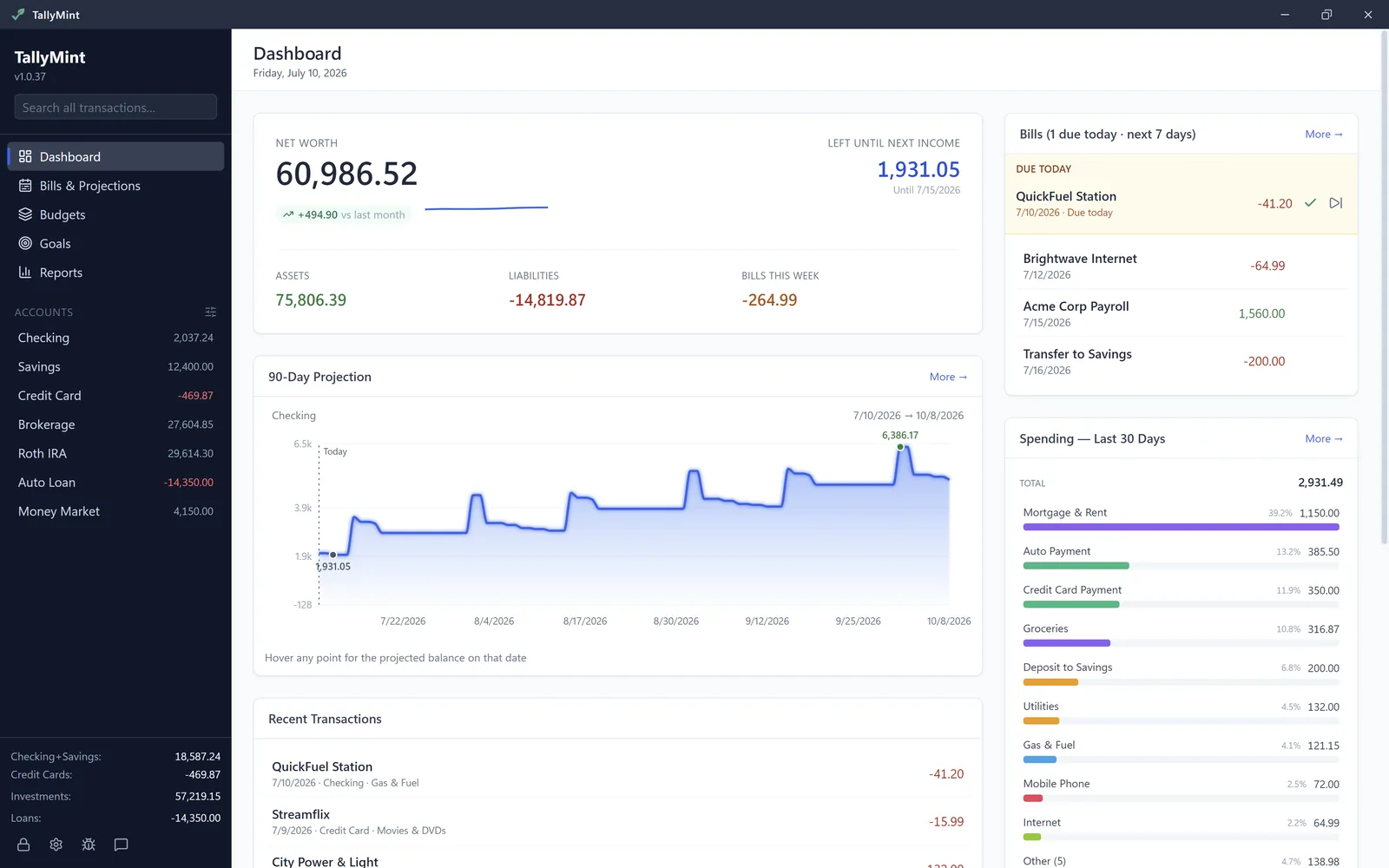
Same app either way. What changes is where it runs and how you pay.
A native Windows app. Your data lives in an encrypted file on your own PC.
Windows 10 & 11
On a Mac, a Chromebook, or your phone? The same app runs in your browser, with bank connections included.
Any modern browser · US and Canadian banks


If you are looking for a Quicken alternative that you pay for once instead of every year, TallyMint is desktop personal finance software for Windows. It costs $59.99 one time, keeps your data in an encrypted file on your own PC, and handles the day-to-day work you already do in Quicken: a transaction register, bank sync, budgets, recurring bills, reports, and cash flow projections.
Two reasons come up again and again: the subscription never ends, and the first-year price is not the one you keep paying. Quicken Classic is billed yearly and renews automatically at the then-current rate, and when a membership lapses, bank downloads, mobile sync, and support stop with it.
TallyMint for Windows is $59.99 once: no renewal, no account, and the app you bought keeps working. Our pledge: if TallyMint is ever discontinued, we will ship a final free update that removes license verification entirely.
| TallyMint Desktop | Quicken Classic | Quicken Simplifi | |
|---|---|---|---|
| How you pay | $59.99 once | Yearly plan | Yearly plan |
| Runs on | Windows 10 and 11 | Windows and Mac | Web, iOS, Android |
| Where your data lives | Encrypted file on your PC | File on your computer, sync optional | Quicken's cloud |
| Keeps working with no renewal | Yes, paid once | Partly: no downloads or sync | No, locked until you renew |
| Bank sync | SimpleFIN or OFX* | Included | Included |
| Export your data | Full QIF, or CSV per account | QIF | CSV, web app only |
*SimpleFIN Bridge costs about $15 a year, paid to SimpleFIN, not us. OFX Direct Connect works where your bank supports it. Quicken and Simplifi details are from Quicken's own website and help pages, checked October 2026. TallyMint is not affiliated with Quicken Inc.
The downloadable app is Windows-only, so on a Mac, a Chromebook, or a phone, use TallyMint Web: the same app in any browser, from $9.99 a month, with bank connections included and a 30-day free trial that needs no card.
TallyMint also imports OFX/QFX and CSV files. Every option is in how to move off Quicken and the full QIF import guide.
QuickBooks is accounting software for running a business, with invoicing and optional payroll. If what you track is a household (checking, credit cards, bills, savings, and investments), TallyMint is built for exactly that, without the bookkeeping. If you can export your transactions from QuickBooks to a CSV file, TallyMint imports it, one file per account. TallyMint is not affiliated with Intuit Inc.
Why does Quicken keep getting more expensive?
Quicken Classic is subscription software, billed yearly. New memberships often start with a first-year discount, then renew automatically at the then-current rate. As of October 2026, Classic Premier lists at about $96 for the first year, against a regular price of about $108 a year. A one-time-purchase app like TallyMint ($59.99 once) avoids the renewal cycle entirely.
Is there a Quicken alternative with no subscription?
Yes. TallyMint is a desktop personal finance app for Windows that you buy once for $59.99, with no annual subscription. It includes bank sync, budgets, recurring bills, cash flow projections, and reports.
Can you still buy Quicken without a subscription?
Quicken's own pages sell Quicken Classic as a yearly membership that renews automatically (checked October 2026). On Deluxe and higher, Quicken says you can still view, edit, and export your data after it lapses, but bank downloads and sync stop. TallyMint for Windows is $59.99 once, with no renewal.
Can I move my Quicken data into TallyMint?
Yes. Quicken can export your data to a QIF file, and TallyMint imports QIF, along with OFX/QFX and CSV. Your transactions come over in seconds, including splits, transfers, and even transfers inside split transactions, with categories matched to your TallyMint categories where the names line up.
Does my financial data stay on my computer?
With the desktop app, yes. TallyMint stores everything in an encrypted file on your PC, opened with your master password, and your bank credentials are encrypted again inside it with AES-256-GCM. There is no cloud account, and nothing in your ledger is sent to us. TallyMint Web is the hosted option and does store your ledger on our servers, encrypted and isolated per account, which is the tradeoff for running in a browser.
What happens to my data if I stop paying or never buy a license?
Nothing is taken away. Because TallyMint is a one-time purchase and stores your data in a file on your own computer, your data is always yours. If the 30-day free trial ends and you have not bought a license, the app becomes read-only, but every transaction, account, and report is still there and you can still open and view it. Buy a license at any time and full editing comes back instantly.
Do I have to pay for upgrades, or is $59.99 really the only cost?
The $59.99 is a one-time purchase and includes ongoing bug fixes and patches. There is no annual subscription and no recurring charge to keep using the app. If a future major version ever adds a large new set of paid features, it would be optional, and your current version keeps working.
Does TallyMint track investments or a 401k?
Yes. TallyMint tracks brokerage and retirement accounts with per-position holdings, market values, cost basis, and capital gains (FIFO, average cost, or specific lots, with long and short-term realized gains). Positions can sync automatically through SimpleFIN, refresh from a free end-of-day quote key (including mutual fund NAVs), or be entered manually. Investment history imports straight from your QIF file: buys, sells, reinvested dividends, and stock splits come across as real cost-basis transactions.
Does TallyMint run on Windows 11?
Yes. The desktop app runs on Windows 10 and Windows 11. It is a native Windows app, not a browser tab, so it stays fast even with years of history.
Is TallyMint a QuickBooks alternative for personal use?
For personal and household money, yes. QuickBooks is accounting software for businesses. TallyMint is personal finance software: a check register, budgets, recurring bills, cash flow projections, investments, and reports, for $59.99 once on Windows, or from $9.99 a month in any browser with TallyMint Web. It does not do invoicing or payroll.
Is there a web version, or a Mac version?
There is a web version. TallyMint Web runs in any browser, so it works on a Mac, on Linux, and on phones, and it includes the bank connections. It is a subscription from $9.99 a month with a 30-day free trial that starts immediately on signup, no credit card required, with up to 3 bank connections during the trial (Web Standard includes 5, Web Plus 10). There is no native Mac build of the downloadable app today.