Savings goals in TallyMint
A goal in TallyMint is a target pinned to a real account: 15,000 in savings for the emergency fund, 4,000 for December's trip. Progress comes from the account's actual balance, so the bar only moves when real money does.
Creating a goal
In the Goals view, add a goal and set three things:
- The account it tracks, typically a savings account dedicated to the purpose.
- The target amount you are saving toward.
- A target date, optional. With a date set, TallyMint also shows what you need to save per month from here to stay on pace, which turns a vague goal into a number you can act on.
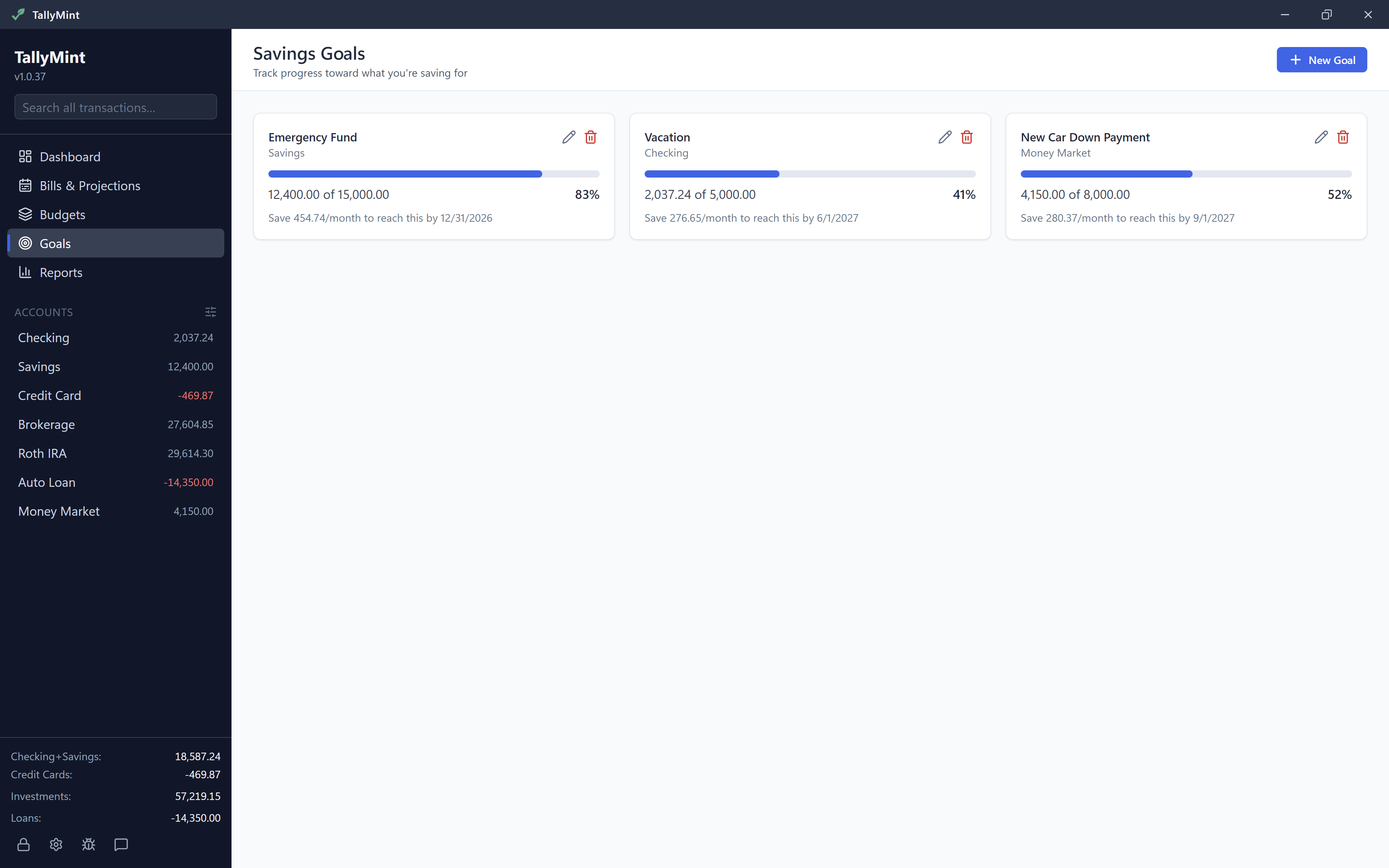
How progress works
The progress bar is simply the account's balance over the target. Transfer money in and progress rises; dip into the account and it falls, honestly. When the balance reaches the target the goal shows as achieved. If the target date passes first, the goal says so rather than pretending.
Making goals work well
- One account per goal is the clean setup. Most banks make extra savings accounts free, and separate accounts mean progress numbers you never have to mentally untangle.
- Automate the deposit: set up a recurring transfer at your bank on payday, and add it as recurring income on the savings account so the transfer shows up in your forecast too.
- Edit as life changes: targets and dates are editable any time, and a finished goal can be deleted without touching the account or its history.