
ByteTidy $19.99 one-time
Duplicate file finder and storage cleaner. Hash-verified matches, OneDrive safe, deletes go to the Recycle Bin.

Your money. Your computer. TallyMint is a fast, private desktop app for Windows for managing your finances. Bank sync, budgets, cash flow projections, and reports. All for a one-time price.
TallyMint (also written Tally Mint) is desktop personal finance software for Windows. It's a one-time purchase of $49.99 with no subscription, and your data stays in a single encrypted file on your own PC. TallyMint handles bank sync, budgets, recurring bills, a monthly bills calendar, savings goals, loan amortization, investment tracking with cost basis and capital gains, cash flow projections, and reports. It's a private, offline-friendly alternative to subscription finance apps.
Built by someone who actually uses it every day to manage their own money. No subscription required.
Connect your bank and credit cards through SimpleFIN. Transactions download automatically and match against your manual entries.
See exactly where your balance will be 30, 60, or 90 days out. Every recurring bill and paycheck is projected onto a day-by-day chart, so you know before payday whether you can cover every bill. This is TallyMint's signature feature.
Track every subscription, utility, and paycheck, then see the whole month at a glance on the bills calendar. TallyMint even scans your register and suggests recurring charges automatically.
Start typing a payee and TallyMint fills in the category, memo, and amount from last time. Repeat entries take seconds, not minutes.
Set monthly targets per category. See actuals vs. budget at a glance with color-coded progress. Auto-fill from your spending history.
Set a target balance for any account and watch the progress bar fill. With a target date, TallyMint tells you how much to save each month to stay on track.
Attach loan terms to any account for a full amortization schedule: payoff date, interest remaining, and one-click payments split into principal and interest.
Track brokerage and retirement accounts next to your cash. Positions sync automatically through SimpleFIN, or refresh prices with your own free quote key, including mutual fund NAVs. Cost basis and capital gains per lot (FIFO, average, or specific), with long and short-term realized gains.
Moving off another program? Import your full history from QIF, OFX, or CSV in a single pass. Accounts, categories, transfers, and even investment history (buys, sells, reinvested dividends, splits) come across automatically with cost basis intact. And there's no lock-in: TallyMint exports your entire file back to QIF anytime.
Spending by category, cash flow grids, month-in-review, net worth trends, and tax summaries. Export any view to CSV, and realized capital gains as TXF for TurboTax Desktop and H&R Block Desktop.
Your data lives in a single encrypted file on your computer. Master password with Argon2id. No cloud, no account, no tracking.
Real screenshots, real workflows. Here's what managing your money in TallyMint actually looks like.
Click any screenshot to enlarge it. Use the arrows to flip through them all.
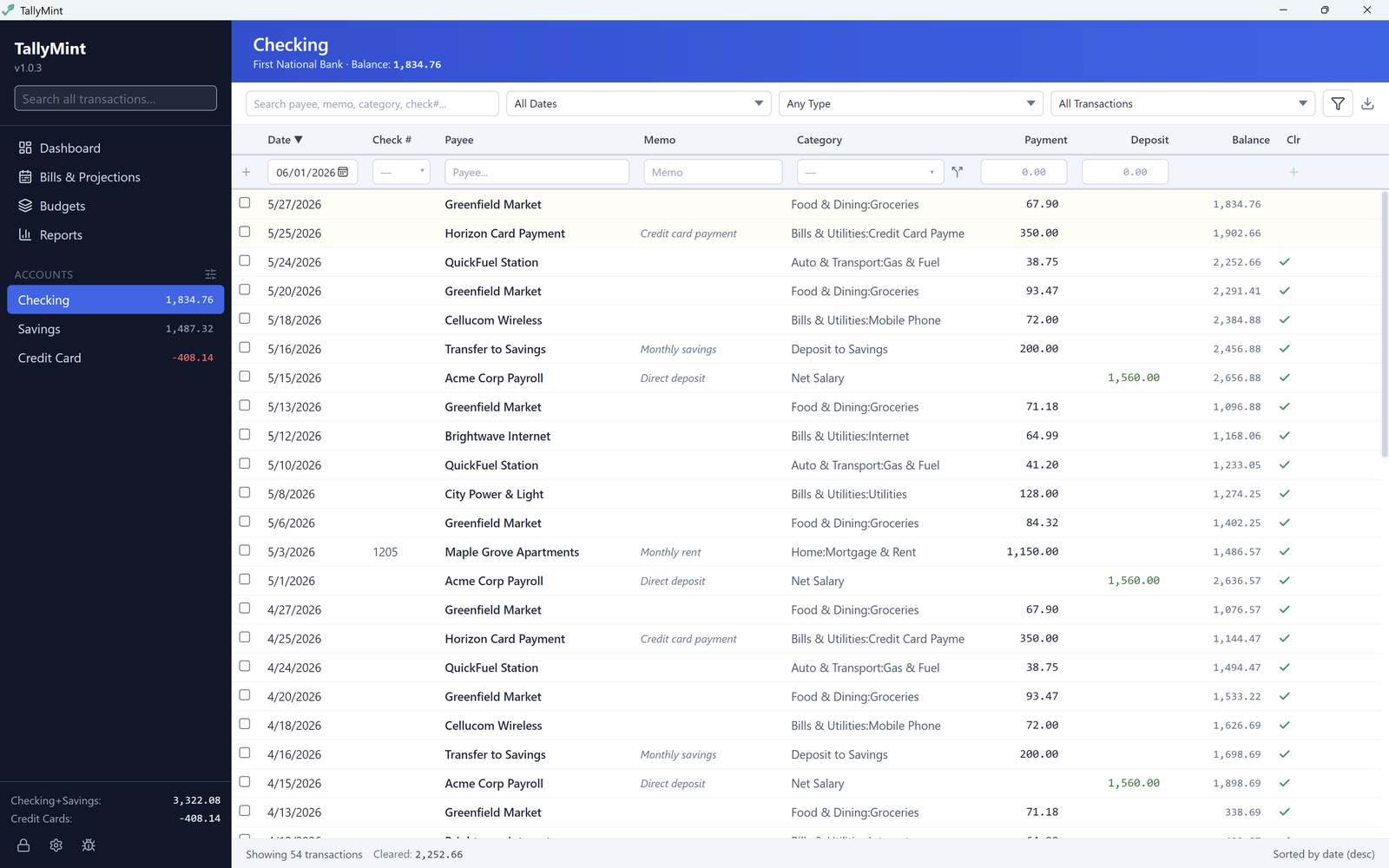
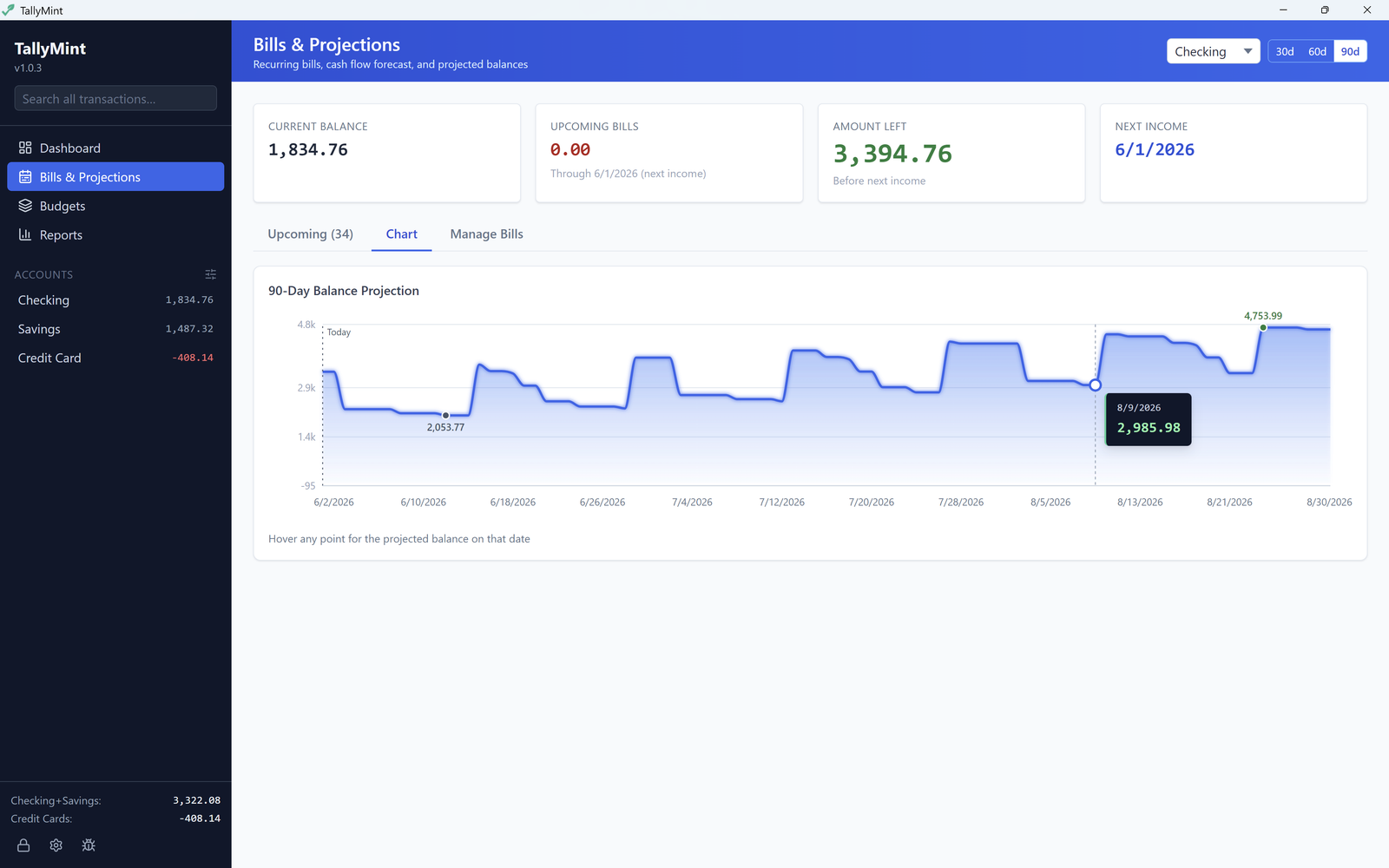
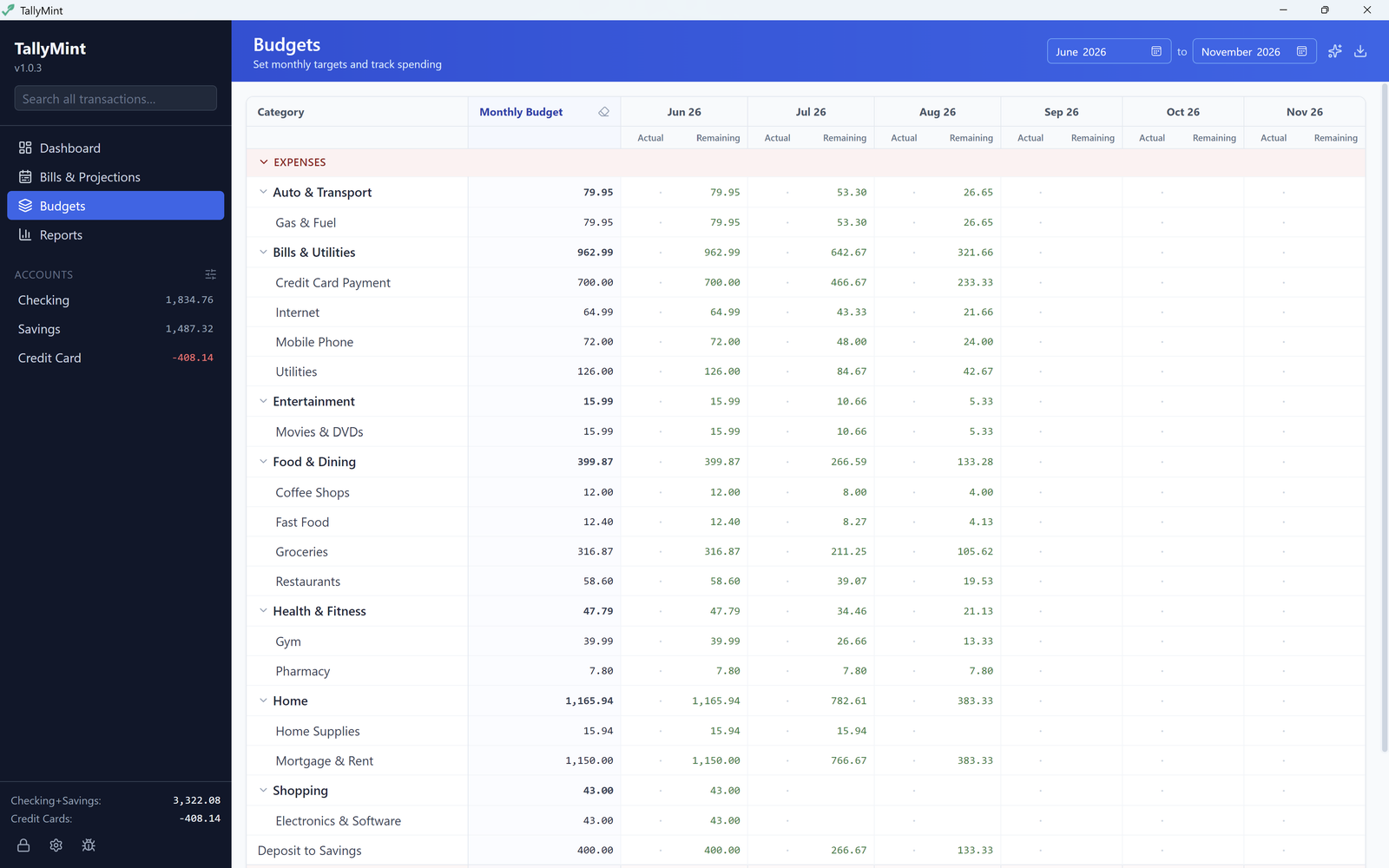
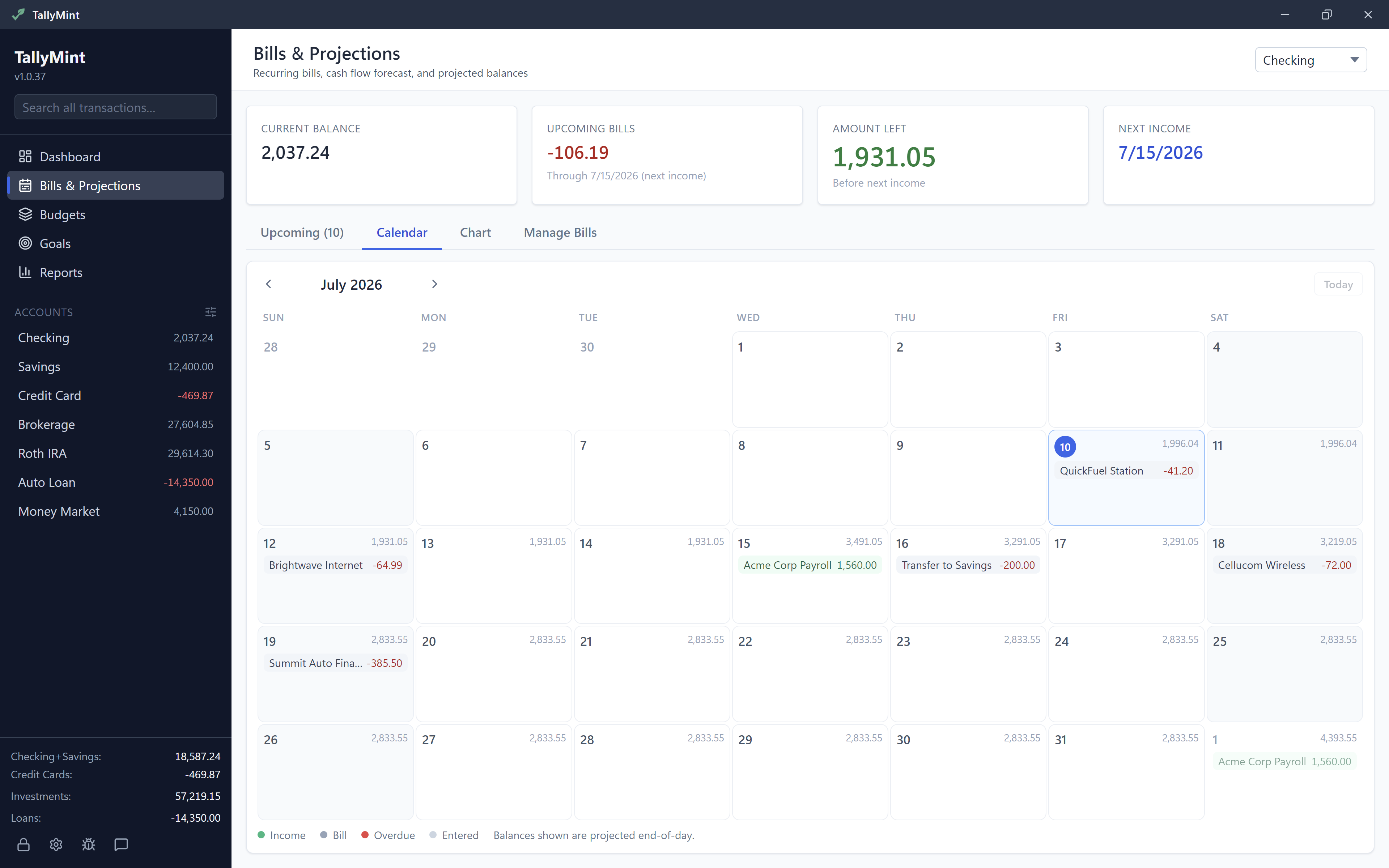
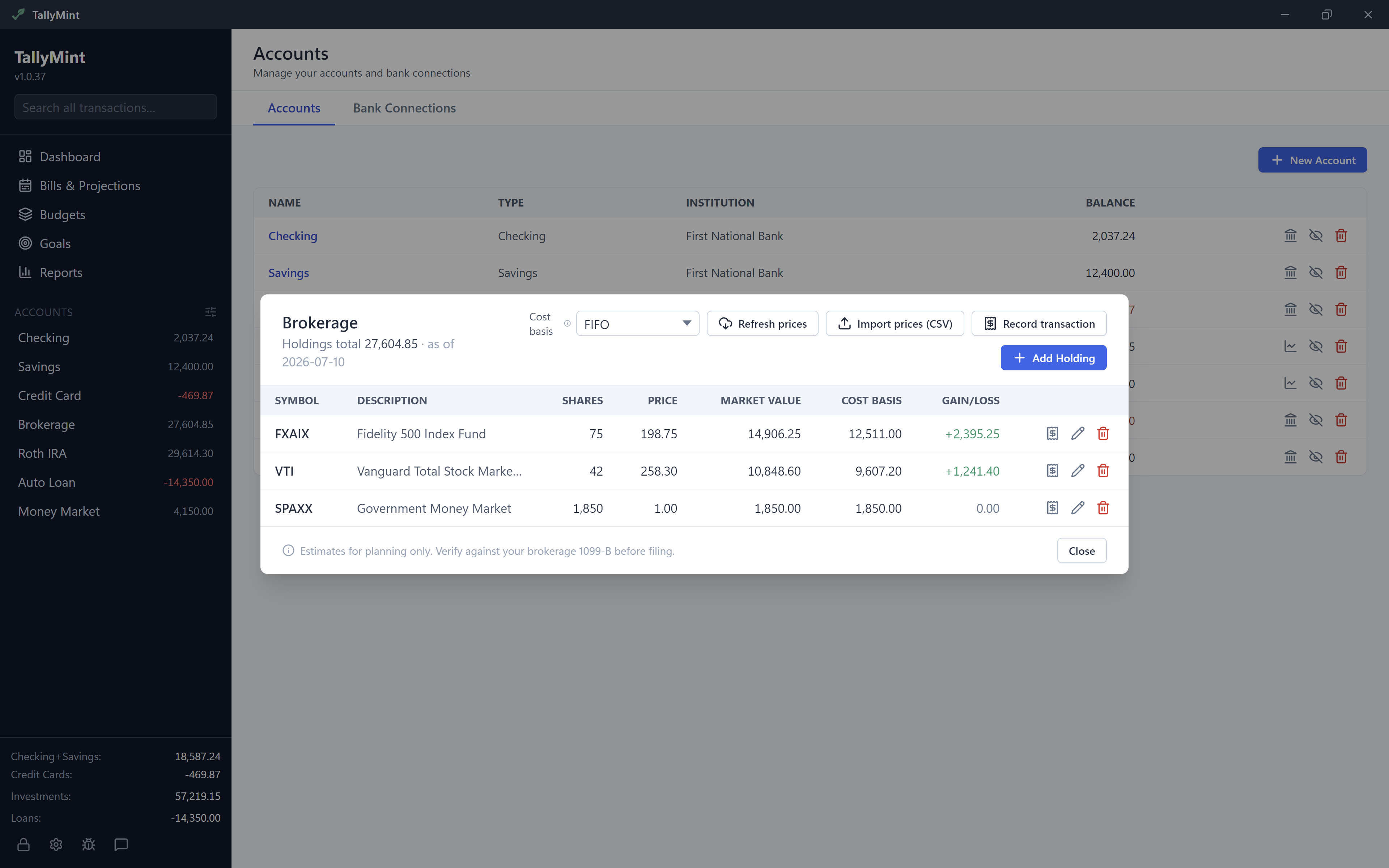
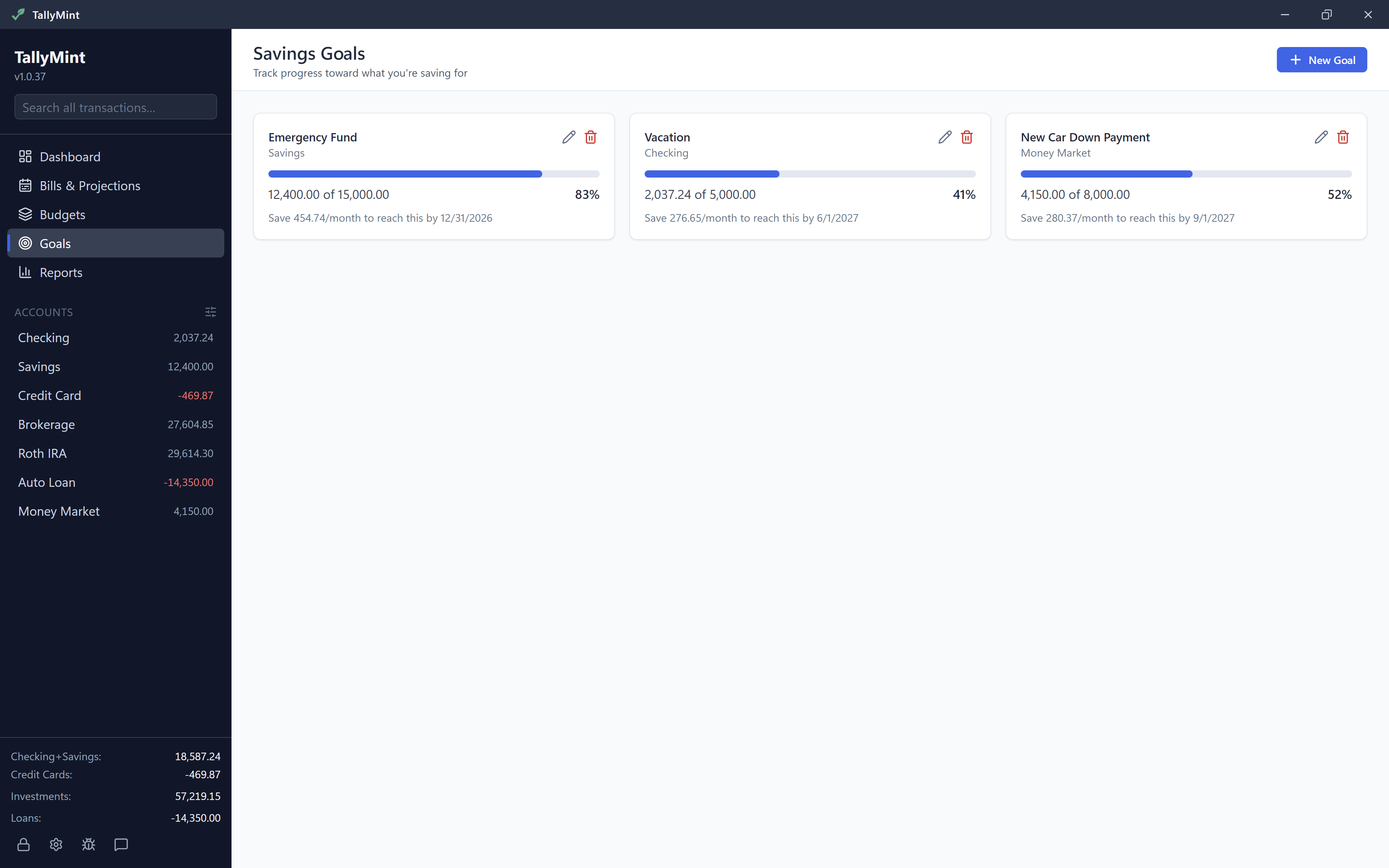
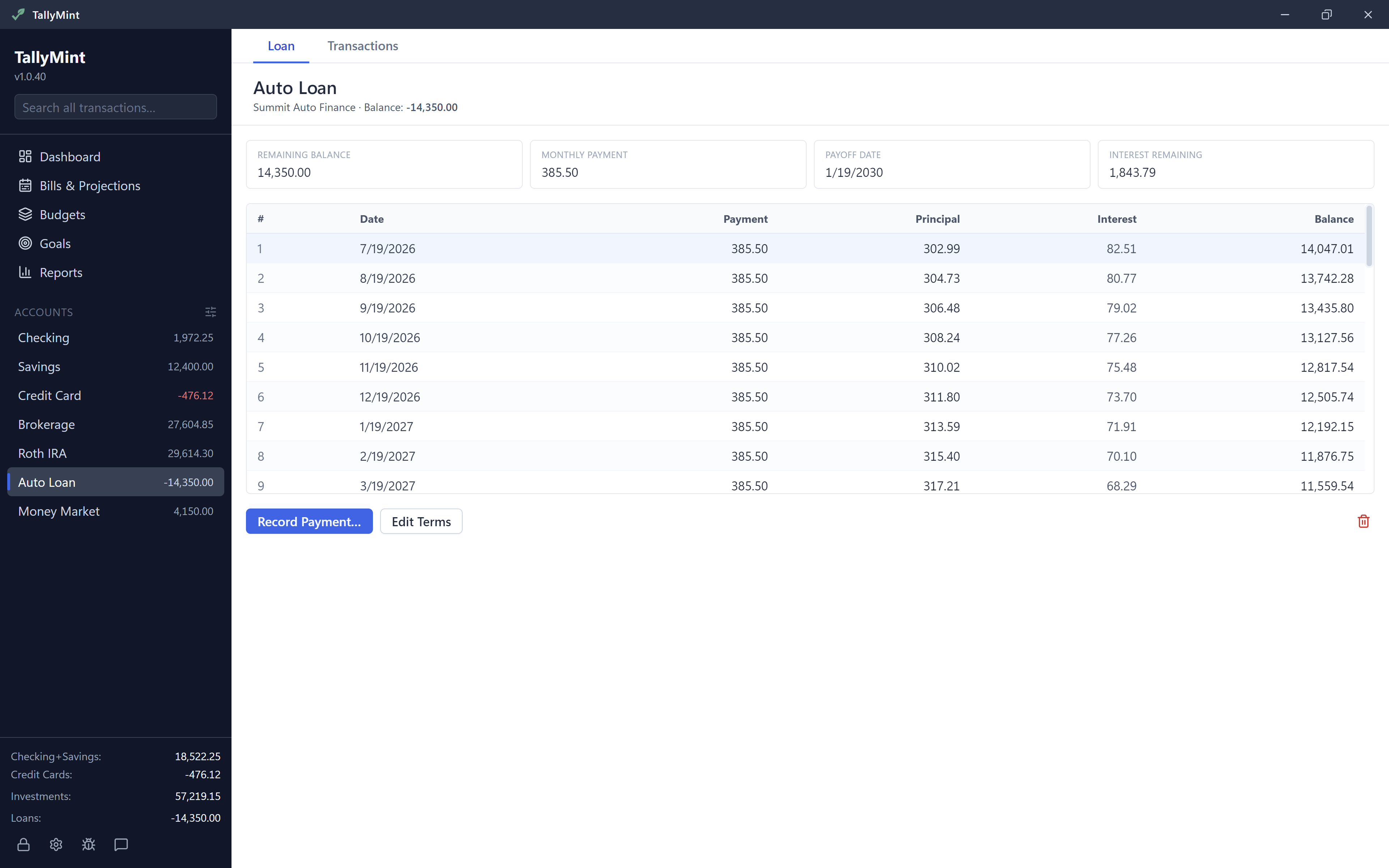
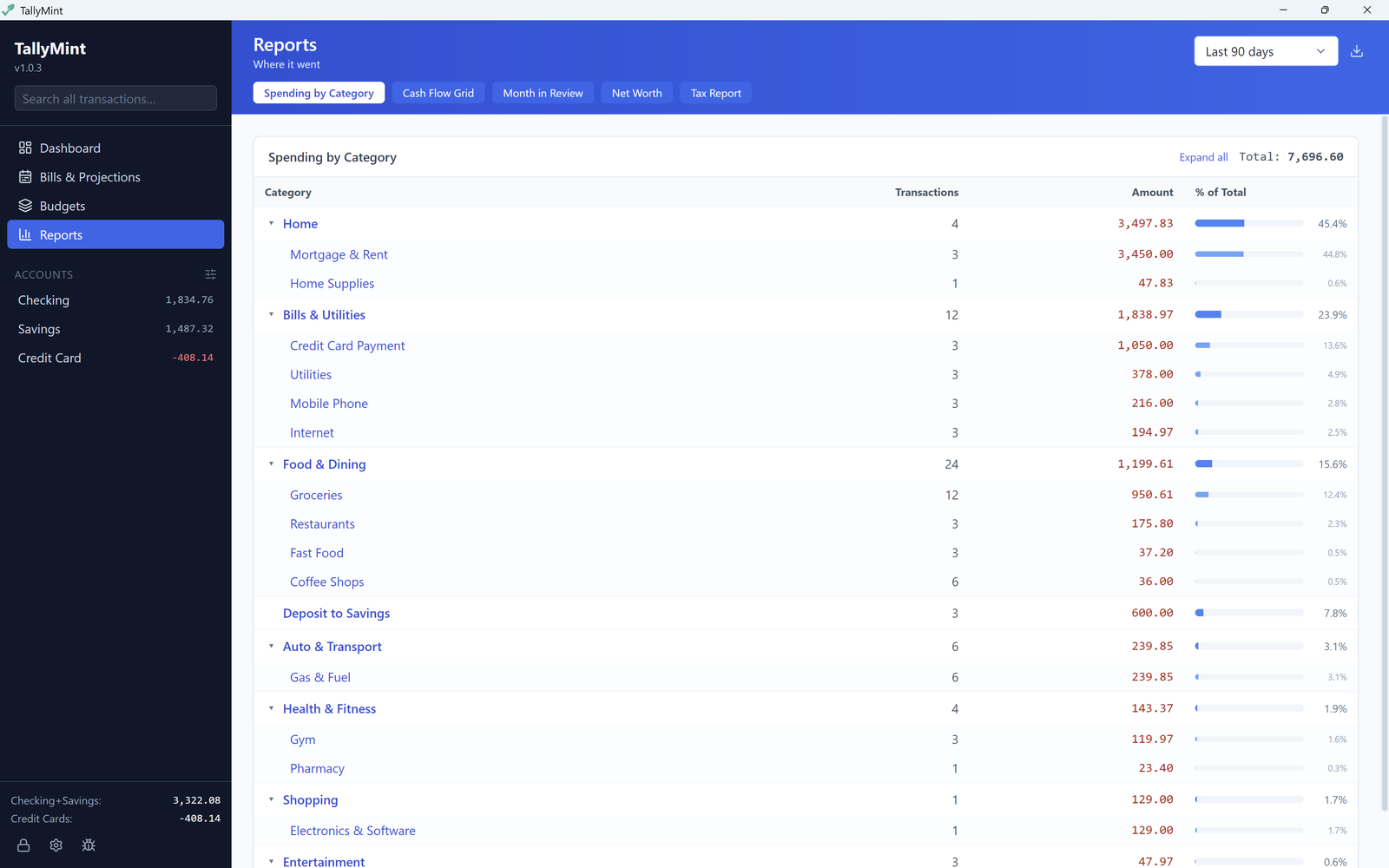
A quick tour of TallyMint: register, bills calendar, budgets, goals, investments, and reports in under a minute.
Tired of paying $72–$99 every year? See how a one-time purchase compares.
| TallyMint | Subscription apps | Cloud-only apps | |
|---|---|---|---|
| Price | $49.99 once | $72 – $99/yr | $99+/yr |
| Data location | Your PC | Your PC or cloud | Cloud Only |
| Bank sync | |||
| Cash flow projections | Varies | ||
| Budgets | |||
| No ongoing fees | |||
| Import from other apps | QIF, OFX, CSV | Varies | Limited |
Most finance apps charge $72 – $99 per year. TallyMint is $49.99 once.
TallyMint (also written Tally Mint) is desktop personal finance software for Windows. It's a one-time purchase of $49.99 with no subscription, and your data stays in a single encrypted file on your own PC. TallyMint handles bank sync, budgets, recurring bills, a monthly bills calendar, savings goals, loan amortization, investment tracking, cash flow projections, and reports. It's a private, offline-friendly alternative to subscription finance apps.
Windows 10 or Windows 11 (64-bit). TallyMint is a lightweight native desktop app: it installs in seconds, needs no account creation, and works offline.
Yes. TallyMint imports QIF files (used by most desktop finance apps), OFX/OFC bank downloads, and CSV files. Your accounts, transactions, categories, splits, and transfers all come over in seconds.
Yes. Create your own named groups, like Everyday, Retirement, or Property, and the account sidebar shows each group with its own subtotal. Groups collapse out of the way, and you can drag accounts between them. Grouping only changes how the sidebar is organized: reports, projections, and net worth are unaffected.
TallyMint connects through SimpleFIN Bridge ($15/yr, paid to SimpleFIN, not us), which covers thousands of US and Canadian banks and credit unions via MX. OFX Direct Connect is also supported for banks that offer it (Chase, Bank of America, and others).
No. Your data lives in a single file on your computer. You can put it in Google Drive or OneDrive for backup, but TallyMint never sends your financial data to our servers. Bank credentials are encrypted with AES-256-GCM and protected by your master password.
There is no recovery, by design. Your file is encrypted with your master password and the password is stored nowhere, so nobody, including us, can read your data without it. Keep the password in a password manager, and let TallyMint's automatic backups protect you from everything else, like disk failure.
TallyMint goes read-only. You can still view and export all your data. Purchase a license anytime to unlock full editing again. Your data is never deleted or held hostage.
Yes. Your data is a single file you copy over, and your license includes up to three machine activations, so a new PC alongside or replacing your old one is covered. Install TallyMint, open your file, enter your license key, and you are back in business. The backups and data guide walks through it. If replaced hardware ever uses up your activations, email support@tallymint.app and we will sort it out.
Every purchase comes with a 30-day money-back guarantee, no questions asked. Email support@tallymint.app with your order number and we will refund you in full.
Nothing happens to your data. It lives in a single file on your own disk, not on our servers, and you can export everything to QIF or CSV at any time. TallyMint is a local desktop app, not a cloud service: there is no account to lose and no server that holds your finances. And our pledge: if TallyMint ever stops being developed, we will release a final free update that removes license verification entirely, so the app you bought keeps working forever.
Bug fixes and patches are always included with your purchase.
TallyMint is Windows-only at launch. The underlying technology supports macOS and Linux, so we'll expand if there's demand. Let us know at support@tallymint.app.
Download the 30-day free trial. No credit card required. If you love it, it's yours for $49.99, one-time.
Download Free Trial
Big new features and milestone releases only. No spam, unsubscribe anytime.
TallyMint is made by KS-ByteBox, an independent Windows software studio. Every app is a one-time purchase that runs entirely on your PC.
Duplicate file finder and storage cleaner. Hash-verified matches, OneDrive safe, deletes go to the Recycle Bin.
Batch image converter. Drop in files or whole folders: HEIC, WebP, PNG, JPG, and more, in and out.